
发布时间:2025-04-23 12:48:51 阅读量:274 来源:小友
A tutorial method for students of Xiaoyouyi Training system to sign up.
Brand: Xiaoyou
Software name: Xiaoyouyi Training System
Software form: Saas software
Operating system: Windows/Android/iOS
The operation process of student registration:
1. Enter the system-enrollment management-potential customer management.
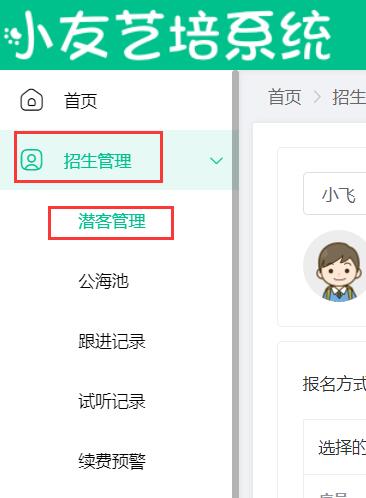
2. Click the registration button behind the student who is about to register.

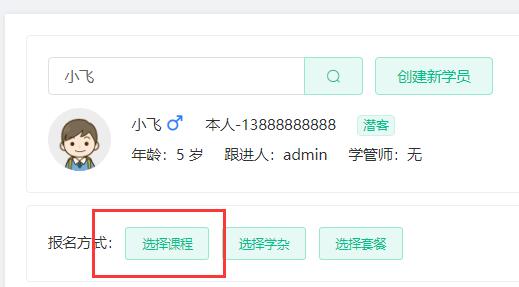
3. Click to select a course.
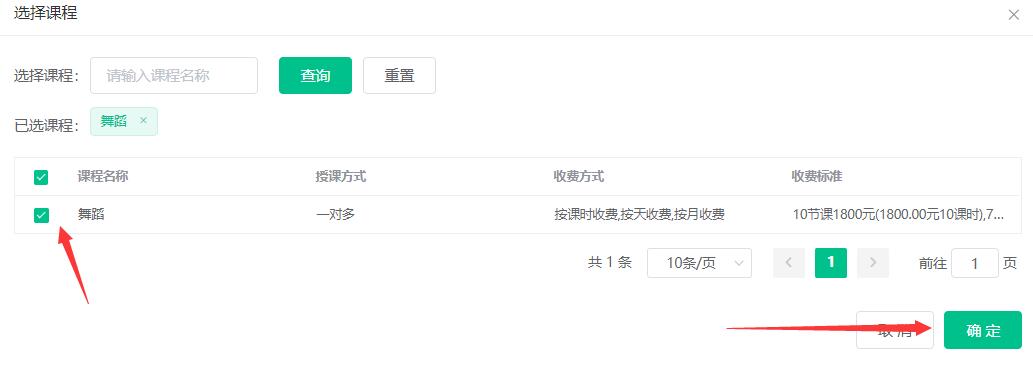
4. Check to register for the course, and click OK.
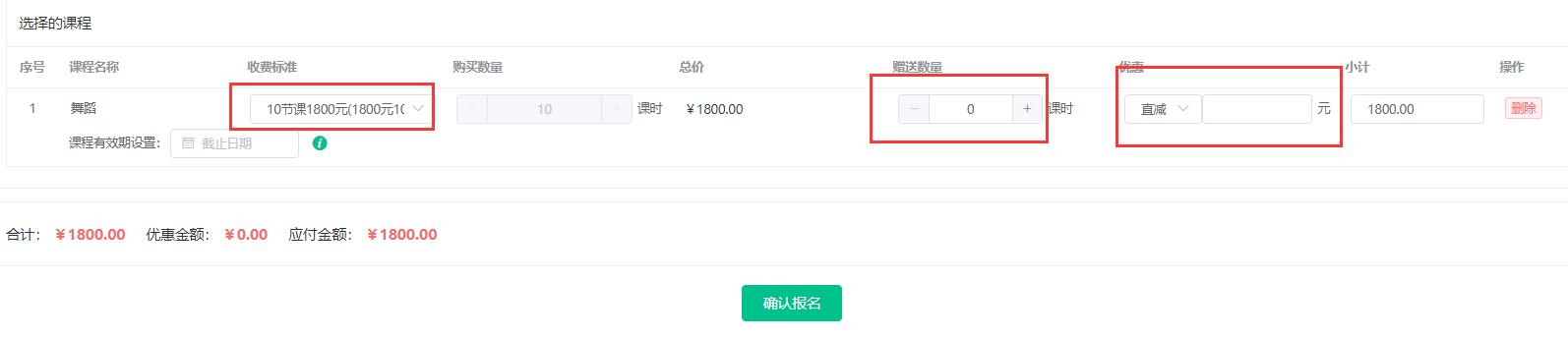
5. Choose the charging standard. For courses that are charged by class hours, you can enter the free course or the preferential price, and click to register.
6. Select the payment method and click OK.
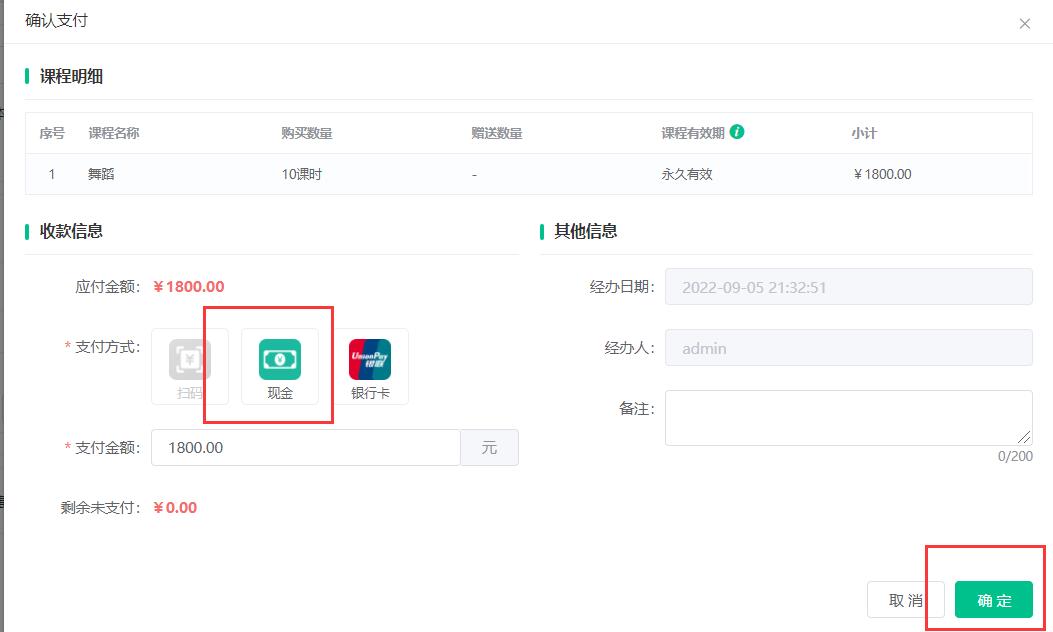
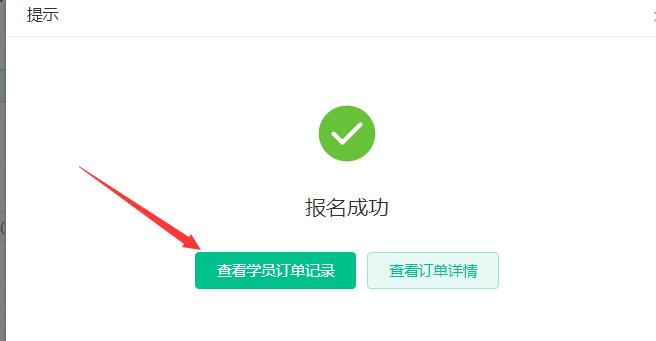
7. Click to view the student's order history.
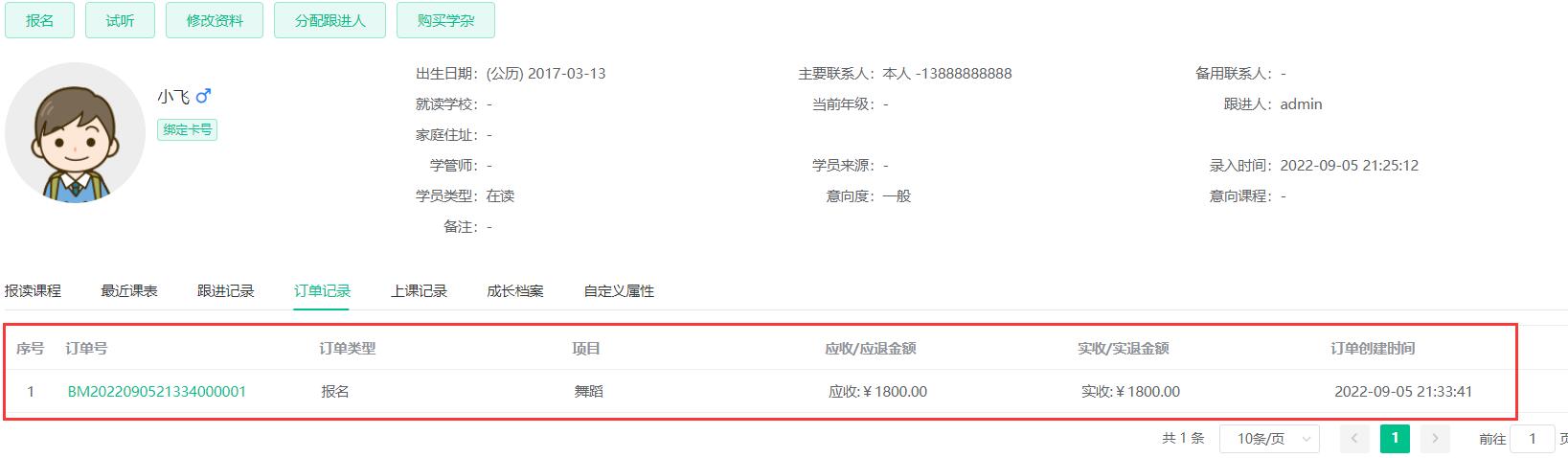
8. You can view all the registration items and amounts.
小友艺培系统成功绑定公众号后,当学员报名成功、请假、上课、作业等都可以收到通知。 有些时候需要禁止报名成功的通 [&he...
品牌:小友 软件名称:小友艺培系统 软件形式:Saas软件 操作系统:Windows/Android/iOS [&hel...
小友艺培系统绑定公众号后就可以使用家长端(学员端)和老师端的功能。公众号必须为已认证的服务号,才能使用全部功能 [&he...
最新资讯
2025-06-18 22:02:51
Analysis of the 2025 enrollment information of Nanyang Academy of Arts (NAFA) in Singapore2025-04-30 15:33:58
Fee management software for art training institutions, accurate management of school income and expenditure?2025-04-30 15:33:16
Which is the best academic affairs management system for education and training institutions?2025-04-30 15:32:41
Which is the best management system for training institutions?2025-04-30 15:31:52
Training institution management system promotes education and training institutions热门资讯
2025-04-30 14:34:33
Intelligent scheduling, attendance and elimination of classes in the management system of early education institutions?2025-04-29 19:27:44
Are there any educational institutions that can be joined? (Better educational institutions to join)2025-04-27 21:05:59
Admissions skills for tutoring classes (how to effectively retain parents? )2025-04-26 20:40:14
Reward points2025-04-30 11:25:02
What academic management system does the training school generally use? What is the price?
xiaoyoujiapei100
Haikou Ding Xiaoyou Network Technology Studio
Copy right© 2003-2022 Haikou Ding Xiaoyou Network Technology Studio & All Rights Reserved, All Rights Reserved. Qiong ICP No. 2022014728


 Training institution management system