
发布时间:2025-04-23 12:43:22 阅读量:621 来源:小友
The tutorial method of Xiaoyouyi Training system to schedule classes.
Brand: Xiaoyou
Software name: Xiaoyouyi Training System
Software form: Saas software
Operating system: Windows/Android/iOS
The operation process of class scheduling:
1、Enter Xiaoyouyi Training System-Academic Affairs Management-Schedule Management
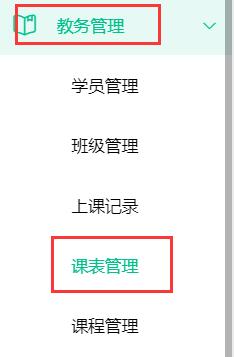
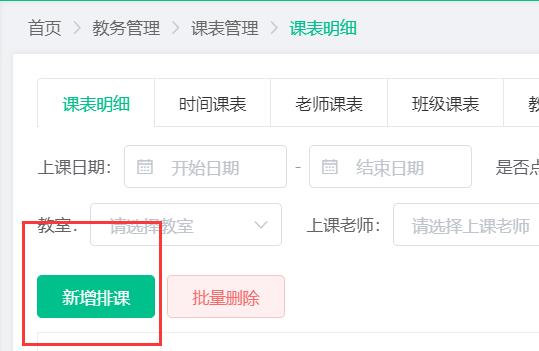
2、Click-add class schedule
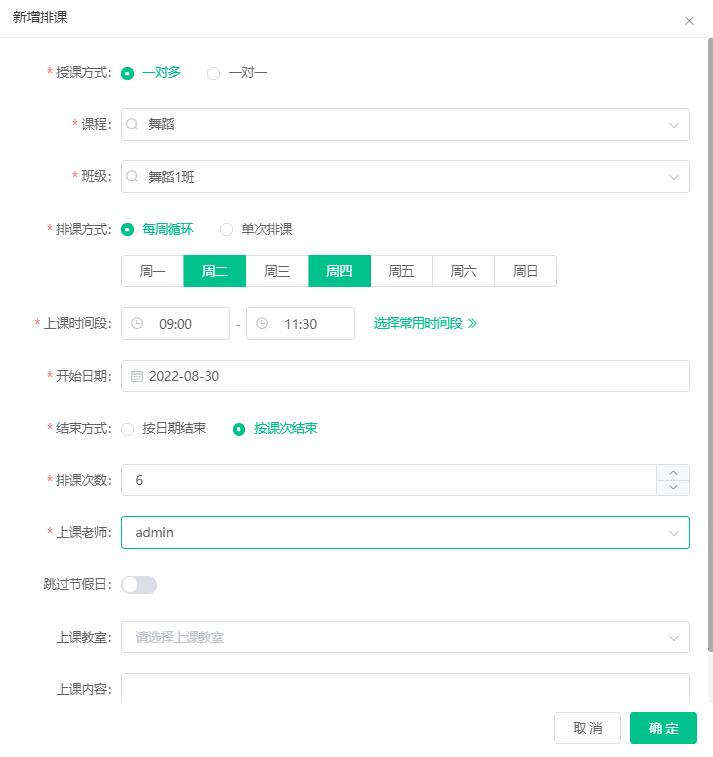
3、Choose one-to-many according to the actual situation. For example, Teacher A will give 6 lectures to 10 students in dance Class 1 from 9:00 to 11:30 every Tuesday and Friday. The actual filling method is as follows:
Teaching method: one-to-many
Course: Dance
Class: Dance Class 1
Class scheduling method: Weekly cycle, Tuesday and Friday
Class time period: 9:00 to 11:30 (you can edit the commonly used time period to facilitate next use)
Start date: the actual start time shall prevail
End method: End by class
Number of classes scheduled: 6
Class teacher: A
Finally, click OK to complete the class schedule.
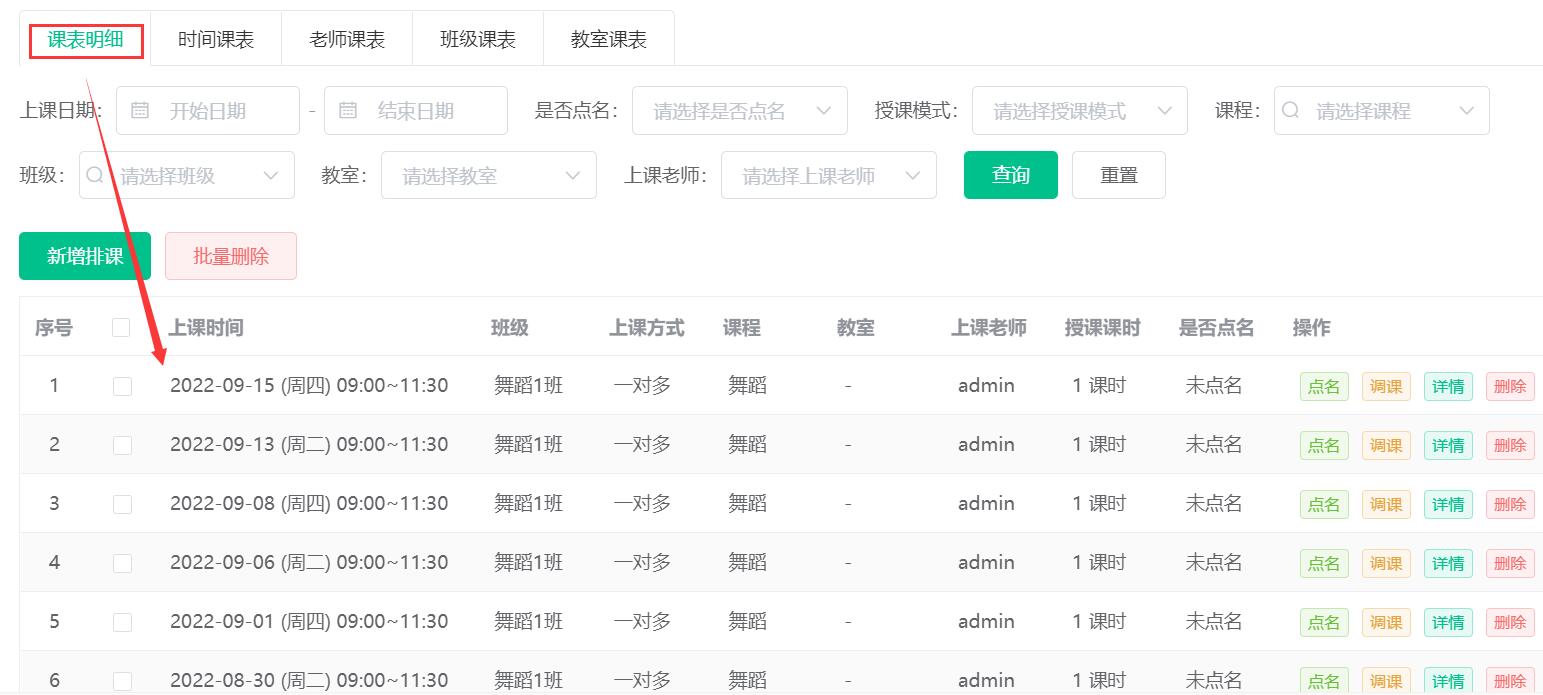
Course details:You can see all the successfully scheduled courses.
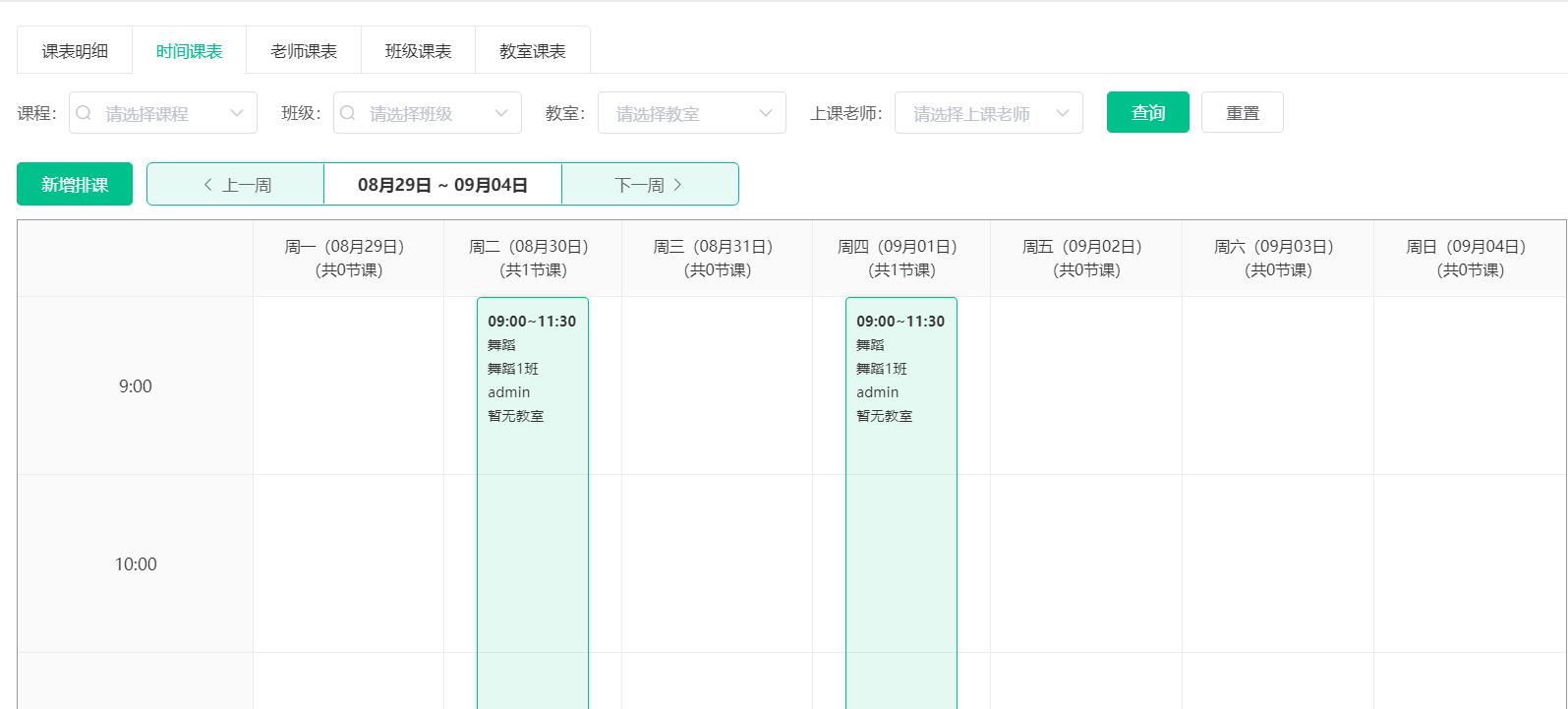
Time schedule:You can see the courses scheduled for each time period of the week.
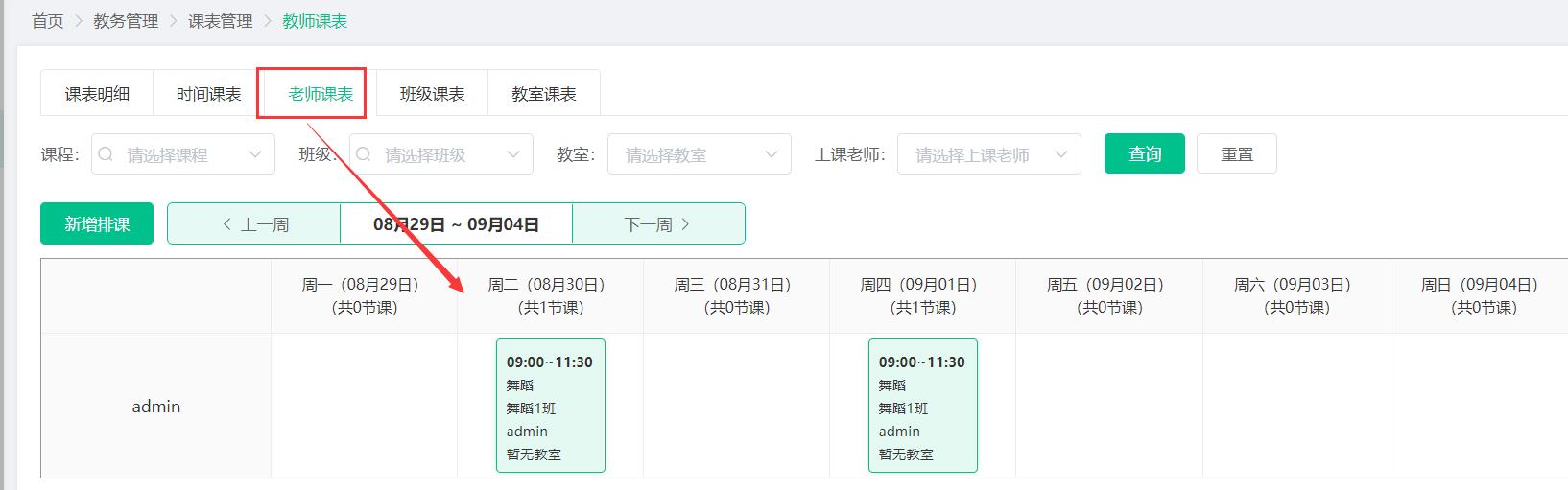
Teacher's schedule:You can see the weekly class hours and courses of each teacher.
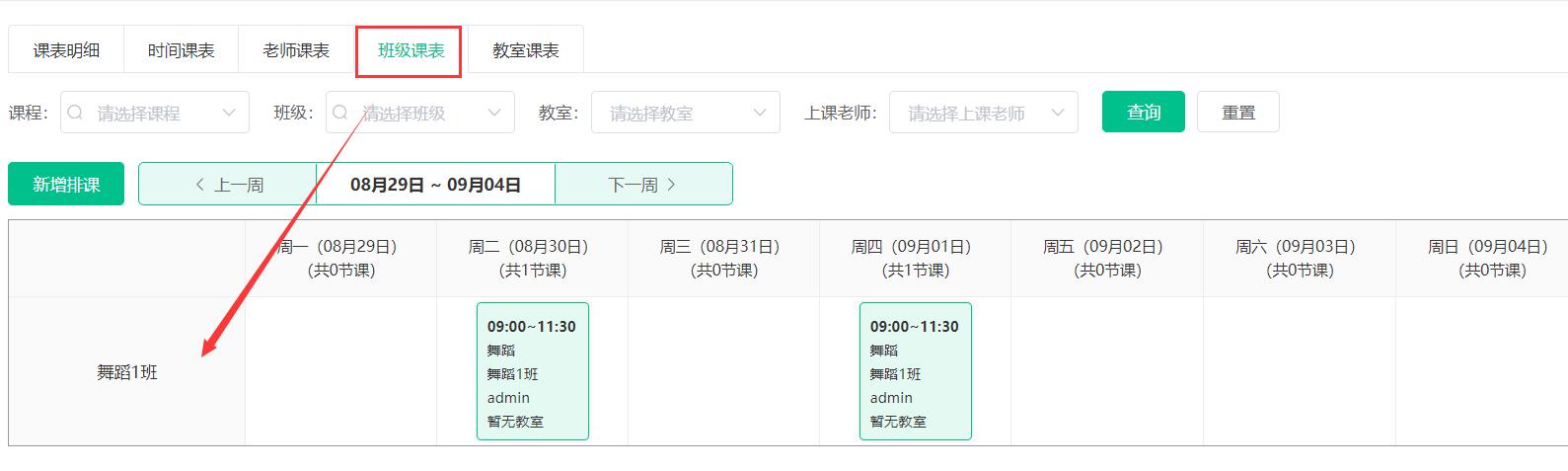
Class schedule:You can see the course content and time scheduled for each class every week.
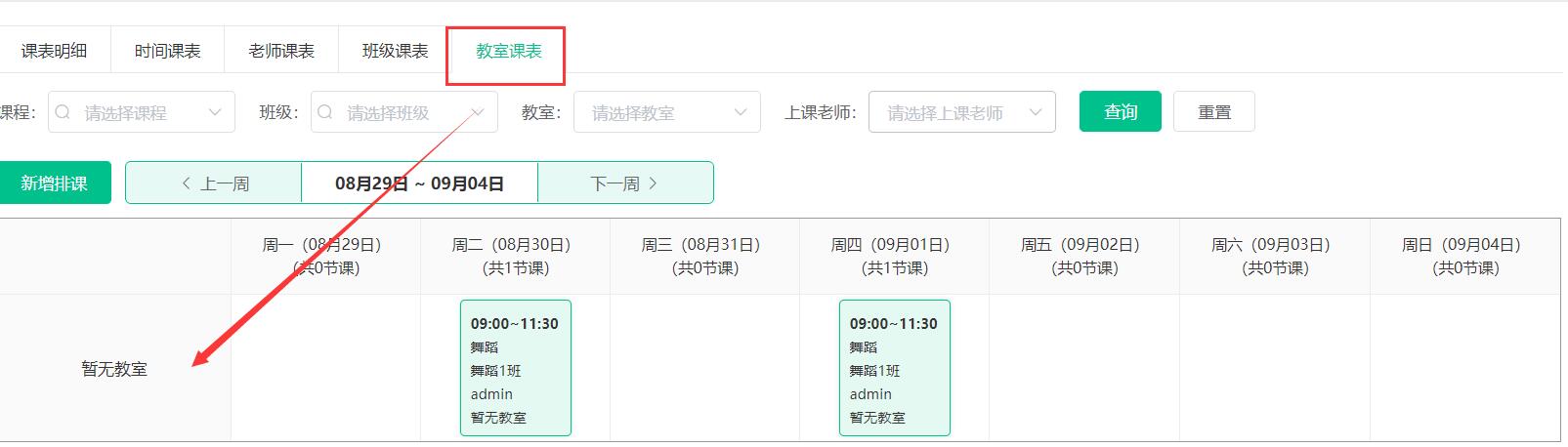
Classroom schedule:You can see the content and time of the courses scheduled by each class every week. (If there is no class, it will show that there is no classroom)
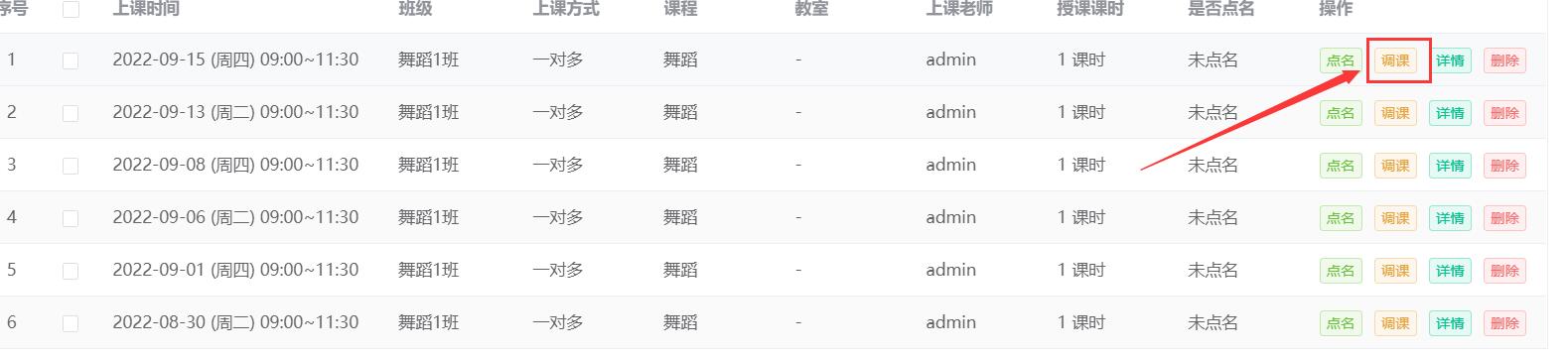
Click on the adjustment at the back of the schedule details to modify the course time, class teacher, and class classroom, but the course cannot be modified.

小友艺培系统班级创建的教程方法。 品牌:小友 软件名称:小友艺培系统 软件形式:Saas软件 操作系统:Win [&he...
小友艺培系统潜在学员试听的教程方法。 品牌:小友 软件名称:小友艺培系统 软件形式:Saas软件 操作系统:W [&he...
小友艺培系统成功绑定公众号后,当学员报名成功、请假、上课、作业等都可以收到通知。 有些时候需要禁止报名成功的通 [&he...
最新资讯
2025-06-18 22:02:51
Analysis of the 2025 enrollment information of Nanyang Academy of Arts (NAFA) in Singapore2025-04-30 15:33:58
Fee management software for art training institutions, accurate management of school income and expenditure?2025-04-30 15:33:16
Which is the best academic affairs management system for education and training institutions?2025-04-30 15:32:41
Which is the best management system for training institutions?2025-04-30 15:31:52
Training institution management system promotes education and training institutions热门资讯
2025-04-30 11:50:13
Recommend ten reliable art training institutions2025-04-26 20:23:45
What are the custom attributes of students that can be set?2025-04-27 21:54:54
A complete list of creative hosting class names (high-end atmospheric hosting class names)2025-04-23 12:39:11
How to operate Xiaoyouyi Training System after-class Review2025-06-18 22:02:51
Analysis of the 2025 enrollment information of Nanyang Academy of Arts (NAFA) in Singapore
xiaoyoujiapei100
Haikou Ding Xiaoyou Network Technology Studio
Copy right© 2003-2022 Haikou Ding Xiaoyou Network Technology Studio & All Rights Reserved, All Rights Reserved. Qiong ICP No. 2022014728


 Training institution management system