
发布时间:2025-04-23 12:49:17 阅读量:746 来源:小友
The tutorial method of dividing students into classes of Xiaoyouyi Training System students.
Brand: Xiaoyou
Software name: Xiaoyouyi Training System
Software form: Saas software
Operating system: Windows/Android/iOS
The operation process of student placement:
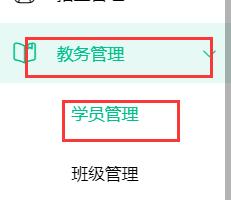
1. Enter the system-academic affairs management-student management
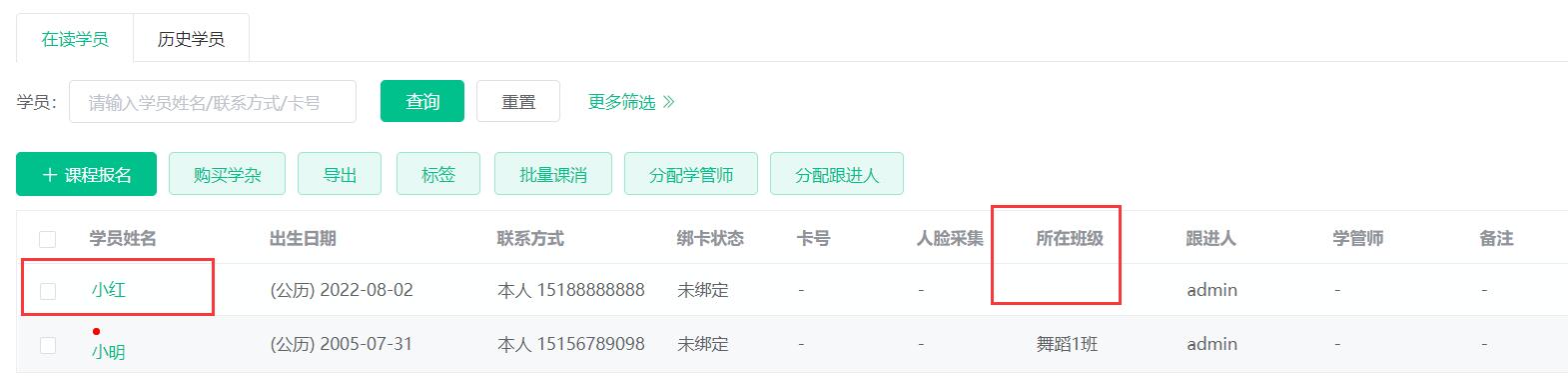
2. In the current students, click on the names of the students who are not assigned to the class, such as Xiaohong.
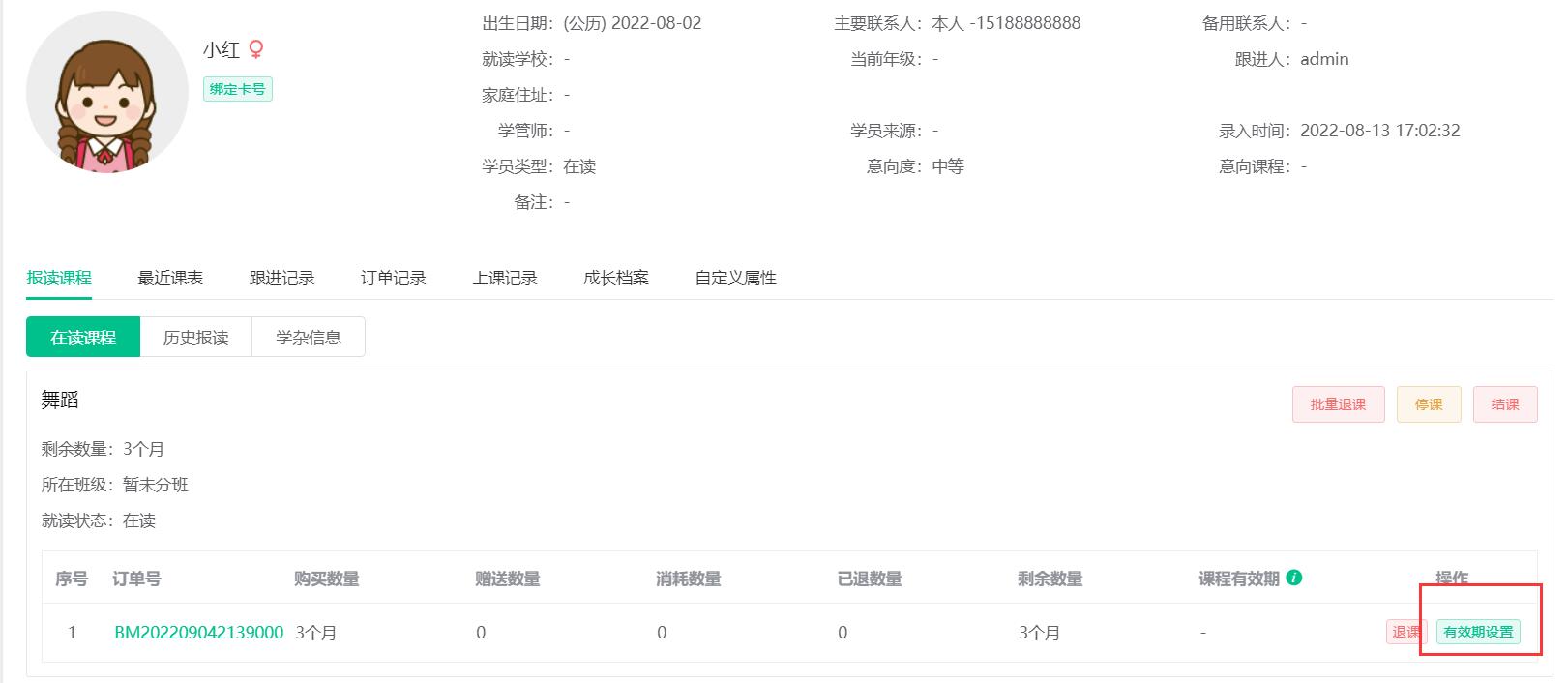
3. Set the validity period for the courses that students sign up for. Note: Only courses calculated by length can set the start time and end time, and courses calculated by class time can only set the end time.
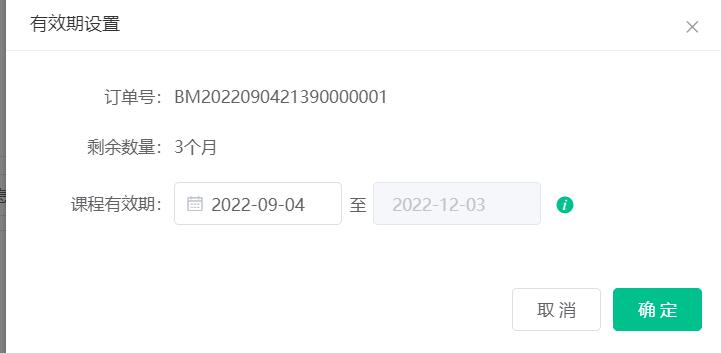
4. Set the start time, and the system will automatically calculate the deadline based on the length of the course, and click OK.
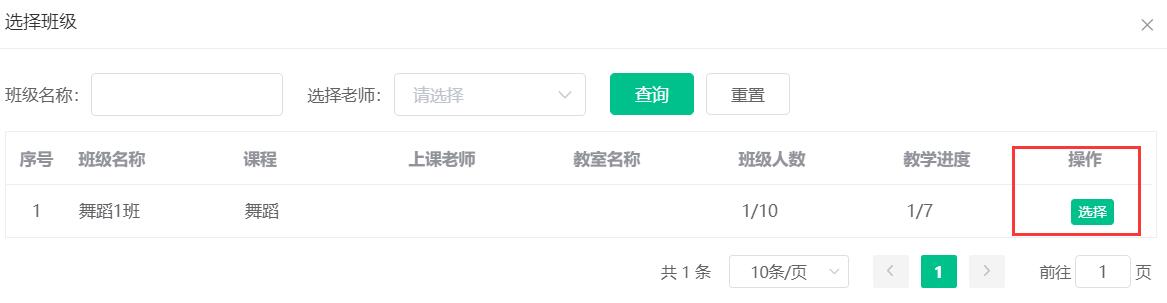
5. Click to select a class.

6. Select the corresponding class.
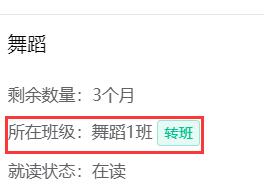
7. After the placement is completed, the class name will automatically enter the class in which it is located.
学员报名全流程: 潜在学员先试听课程,试听满意后报名课程成为正式学员,成为正式学员后为学员分班。 学员正式上课 [&he...
套餐是指的提前将套餐内的课程、数量、课杂一起设置在一起,然后打包进行销售。 小友艺培系统创建套餐课程的教程方法 [&he...
品牌:小友 软件名称:小友艺培系统 软件形式:Saas软件 操作系统:Windows/Android/iOS [&hel...
最新资讯
2025-06-18 22:02:51
Analysis of the 2025 enrollment information of Nanyang Academy of Arts (NAFA) in Singapore2025-04-30 15:33:58
Fee management software for art training institutions, accurate management of school income and expenditure?2025-04-30 15:33:16
Which is the best academic affairs management system for education and training institutions?2025-04-30 15:32:41
Which is the best management system for training institutions?2025-04-30 15:31:52
Training institution management system promotes education and training institutions热门资讯
2025-04-23 12:36:18
The operation method of adding employees and positions to the Xiaoyouyi Training system, as well as setting post permissions2025-04-23 20:50:04
What are the functions that the academic affairs management system of a training school should have?2025-04-30 11:13:17
How can training institutions optimize the student reception process and increase the signing rate?2025-04-28 20:22:53
Admissions techniques and methods for tutoring classes (how to retain parents after experiencing class)2025-04-30 15:16:57
How to choose a suitable management system for training institutions?
xiaoyoujiapei100
Haikou Ding Xiaoyou Network Technology Studio
Copy right© 2003-2022 Haikou Ding Xiaoyou Network Technology Studio & All Rights Reserved, All Rights Reserved. Qiong ICP No. 2022014728


 Training institution management system