
发布时间:2025-04-23 12:40:51 阅读量:214 来源:小友
A tutorial method for batch import of Xiaoyouyi training potential customers.
Brand: Xiaoyou
Software name: Xiaoyouyi Training System
Software form: Saas software
Operating system: Windows/Android/iOS
The operation process of bulk import of potential customers:
1. Enter the system-enrollment management-potential customer management-batch import.
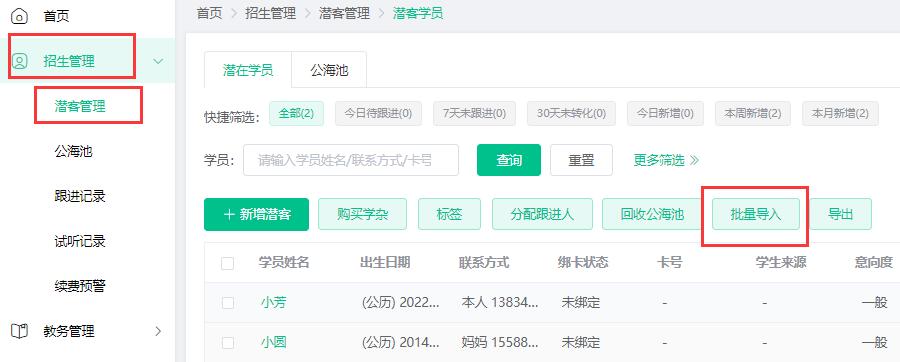
2. Click to download and import the template file.

3. Open the import template file.
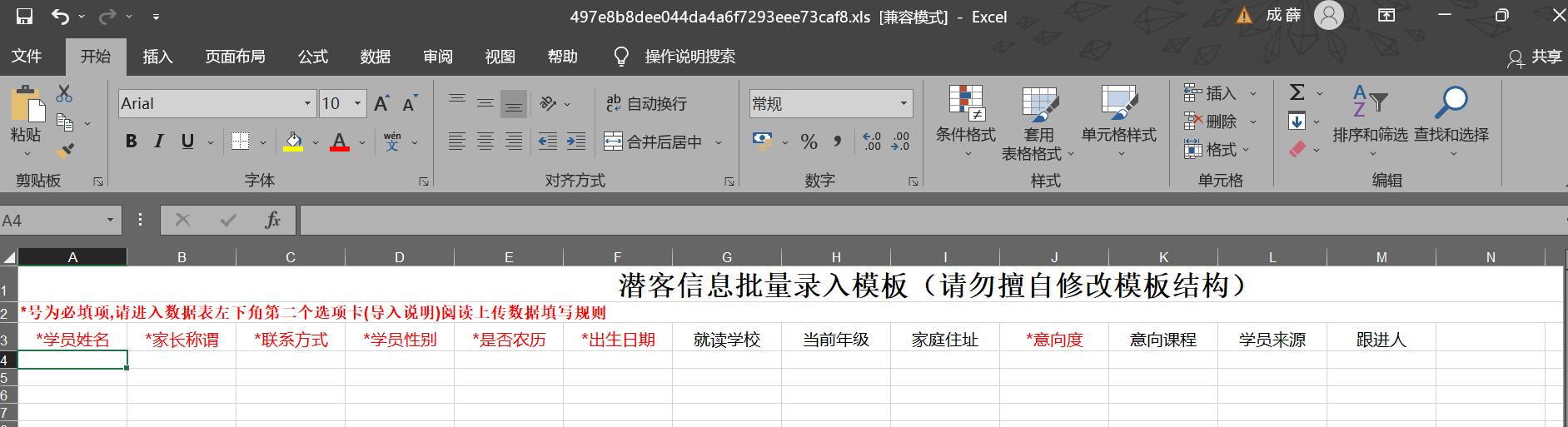
4. Fill in the visitor information.
Fill in instructions: All items with asterisks are required.
Student's name: a string of Chinese characters, letters, numbers, and underscores, up to 20.
Contact information: Only numbers can be entered.
Date of birth: The format of the student's birthday is yyyy/M/d or yyyy-MM-dd. Please do not enter the Chinese date. For lunar birthdays, please also enter the Gregorian calendar date on the day of the birthday according to the rules. The program will automatically convert the Gregorian calendar date to the Lunar calendar.
School: A string of Chinese characters, letters, numbers, and underscores.
Home address: A string of Chinese characters, letters, numbers, and underscores.
Note: The same contact information can correspond to the names of different students. The same student's name can correspond to different contact details. That is, items with the same name and contact information of the student cannot be entered repeatedly.

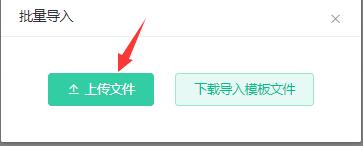
5. Click Upload file to import the edited file.
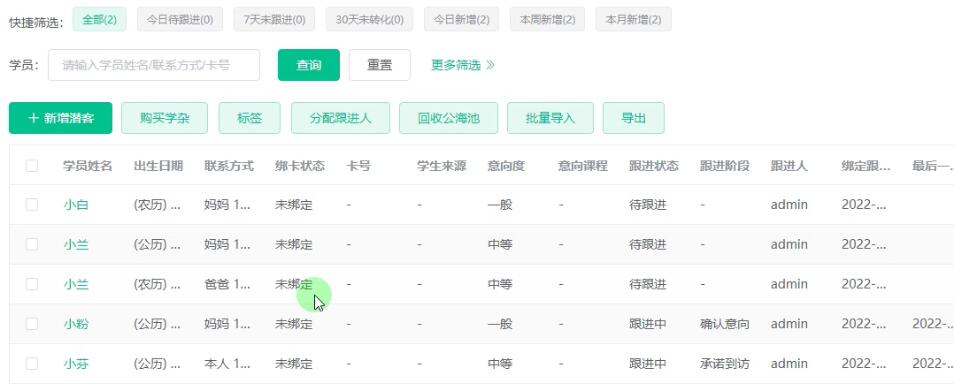
6. After the import is successful, the imported student information will be visible in the visitor management.
品牌:小友 软件名称:小友艺培系统 软件形式:Saas软件 操作系统:Windows/Android/iOS [&hel...
公海池:即为潜在学员回收站,是为了提升潜在学员价值的学员管理模块。 公海池里的学员是公共资源,管理人员可以分配 [&he...
学员的上课记录就是点名记录,可以按点名开始和结束时间、班级、课程、上课老师、状态的条件,查询上课记录,然后导出 [&he...
最新资讯
2025-06-18 22:02:51
Analysis of the 2025 enrollment information of Nanyang Academy of Arts (NAFA) in Singapore2025-04-30 15:33:58
Fee management software for art training institutions, accurate management of school income and expenditure?2025-04-30 15:33:16
Which is the best academic affairs management system for education and training institutions?2025-04-30 15:32:41
Which is the best management system for training institutions?2025-04-30 15:31:52
Training institution management system promotes education and training institutions热门资讯
2025-04-30 15:23:05
Cost-effective management system for training institutions2025-04-23 20:36:08
How can professional training teachers increase the registration rate?2025-04-23 20:43:42
Discussion on class scheduling in vocational colleges and Universities2025-04-30 11:25:33
Which is the best management software for education and training institutions?2025-04-30 11:37:17
What should I do with the art training school permit?
xiaoyoujiapei100
Haikou Ding Xiaoyou Network Technology Studio
Copy right© 2003-2022 Haikou Ding Xiaoyou Network Technology Studio & All Rights Reserved, All Rights Reserved. Qiong ICP No. 2022014728


 Training institution management system